Gallery requires scripts be allowed. Provided by Galleria
Right-Click and Select View Image to Enlarge

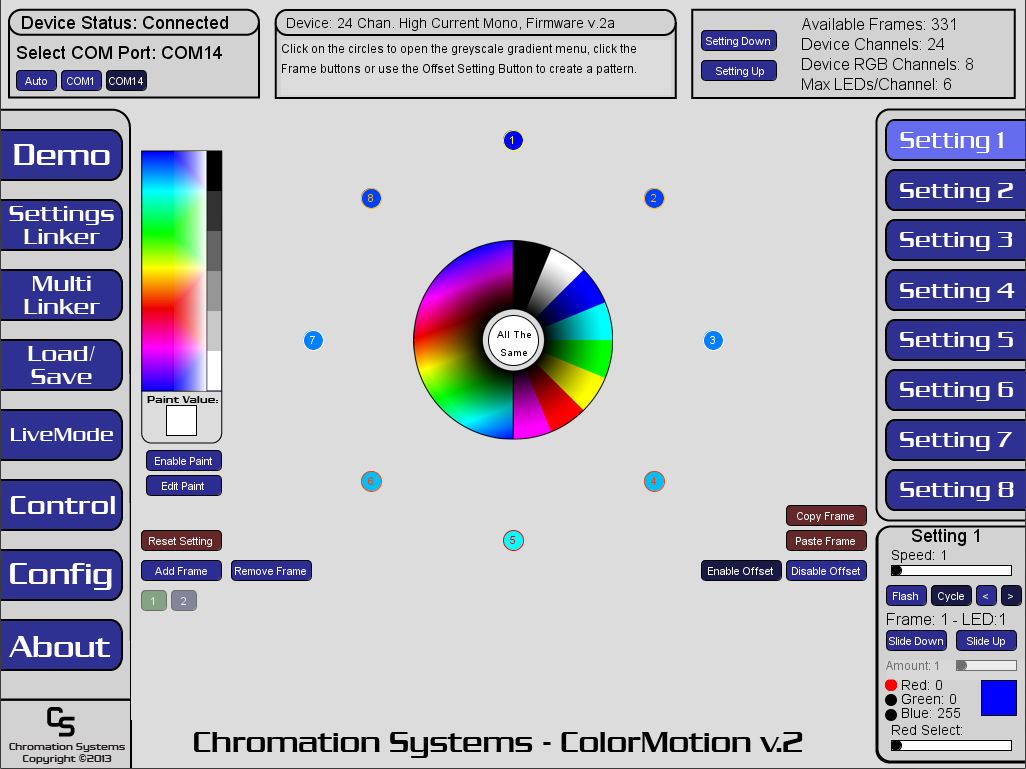
6/27/2013: ColorMotion Version 2 now available. This version is vastly superior to the previous version and backwards compatible with the hardware. It is highly recommeneded that any current users update to the new version. Those who purchased a ColorMotion Compatible controller with the full version of the firmware are entitled to a free upgrade. Either in the form of an exchange(Have a new version 2 PIC sent to you with a prepaid envelope to return the version 1) or discount on a new version 2 PIC.($5 per PIC +shipping). Some customers may be entitled to a free version 2 PIC sent to them at no cost. If you are using the "Demo" version, you can either download the new version 2 HEX file and program it yourself, or request a new or exchanged PIC. Please Contact Us or send an email to support@chromationsystems.com with your Order Number or Name and Date. And we will help get you updated to the latest version, at little or no cost.
Downloadable version of the firmware have a few bugs that will be patched next week, please check back to get the latest revision.
The software and software updates are free but require a compatible Chromation Systems LED Controller programmed with the compatible firmware, which costs extra for the full version , there is also a demonstration firmware version avaialble for free, but has limited functionality. Everything works the same in the Demo version firmware except new patterns can not be uploaded, but can be demonstrated on the device, Live Mode and all other functions work the same.
This software is used to create a multitude of patterns and effects with RGB LEDs. The patterns can be uploaded to a compatible Chromation Systems LED Controller through USB, which can run the patterns by itself or the controller can be set to accept live data streamed from a computer via USB port.
Please read The Manual for details and usage instructions.
Compatible Operating Systems: Must Download and Install Java Runtime
| Windows v.2a - Embeded Java |  Download Download |
| Windows v.2a | Download |
| Linux v.2a | Download |
| MacOSX v.2a | Download |
| ColorMotion INF Driver | Download |
| Upgrade and "Demo" HEX Files | Download |
| Upgrade Software and Info | Webpage |
| User Manual PDF | View/Download |
| Command Chart PDF | View/Download |
| Instructional Video(out dated) | View on YouTube |
| Live Mode Demo Application | Webpage |
| Motion Coordinates Software | Webpage |
| 24 Channel LED High Current Controller 8 Channel RGB Mode |
Webpage |
| 48 Channel LED Controller 16 Channel RGB Mode |
Webpage |